
From customer questions to what to improve next
Start with real questions, inspect the evidence, and decide what needs changing. Capture questions on one live surface, or ask about an assisted pilot for existing questions. Your team owns the change and can review later evidence for recurring confusion.
Who it's for·How teams use Sol Helps·View example insight report
The embedded assistant is the primary live evidence source.
Sol Helps preserves submitted questions and groups them into broad, rule-based themes so your team can inspect the underlying evidence.

Choose a starting route
Begin with live questions or a bounded historical set
The two routes have different availability and remain separate evidence workflows today.
Capture ongoing questions
Deploy the embedded assistant on a focused website or product surface. Sol Helps preserves submitted questions and available context for review in Conversations and Insights.
Assess a focused live pilotBegin with existing questions
Selected teams can bring a bounded, appropriately reviewed CSV export through an assisted Evidence Inbox pilot. Imported records are validated and deduplicated before separate review.
Ask about an assisted pilotImported evidence and live conversations currently remain separate evidence workflows. Unified cross-source analysis is part of the product direction, not a current capability.
Core value
Built for real customer questions
Sol Helps uses the embedded assistant to capture live questions, then organises them into broad themes your team can review against the original evidence.
The assistant is the primary live evidence source. The investigation workflow helps your team review what those questions may indicate.
“You’ll need admin access before connecting this integration.”
“Does this only work if our IT admin turns it on first?”
Evidence-led clarity layer
Preserve real wording before it gets flattened into summary.
Focused live setup
Start with one surface and one approved source of truth.
On-brand by default
Tune tone and guardrails so answers stay conservative.
Works with your stack
Docs, onboarding, product, and support surfaces all fit.
Expectation setting
What you’ll see first
Sol Helps is designed to protect decision quality. Early signal can take time — that is part of the design, not a flaw in it.
The goal is not to turn thin evidence into instant certainty. It is to preserve enough context for patterns to become trustworthy.
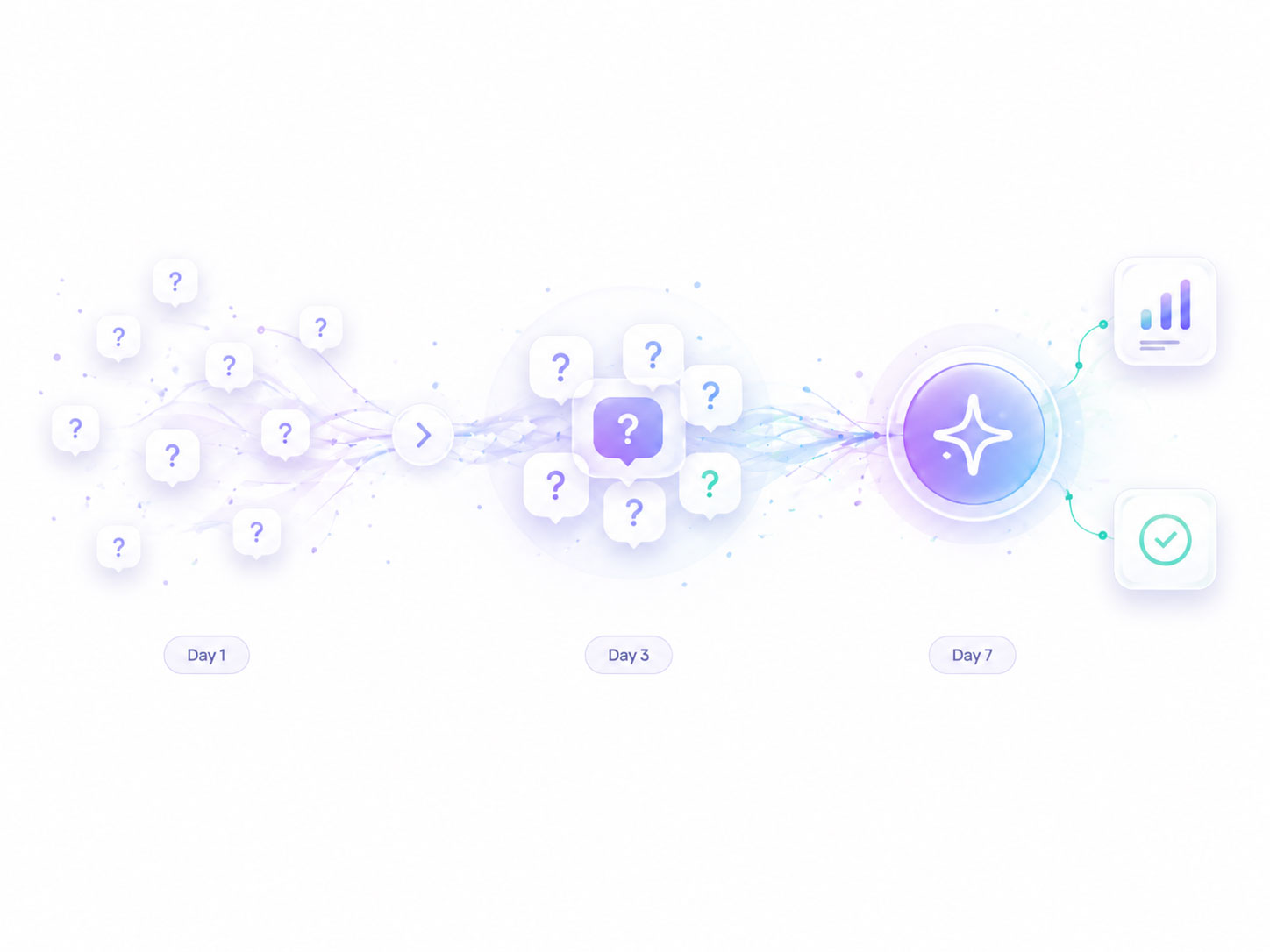
Evidence, not summaries
Start with real wording before reducing it into themes.
Signal before scale
Patterns become more trustworthy as similar questions recur.
Clarity without overreach
Thin evidence stays provisional until repetition supports it.
Repetition is the signal
Repeated wording turns isolated confusion into something your team can act on.
When repeated confusion becomes commercially important, read when user confusion starts costing you.
Diagnosis
What this helps you diagnose
Repeated questions reveal the shape of a misunderstanding. That is how isolated moments of confusion become Customer Confusion Insights.
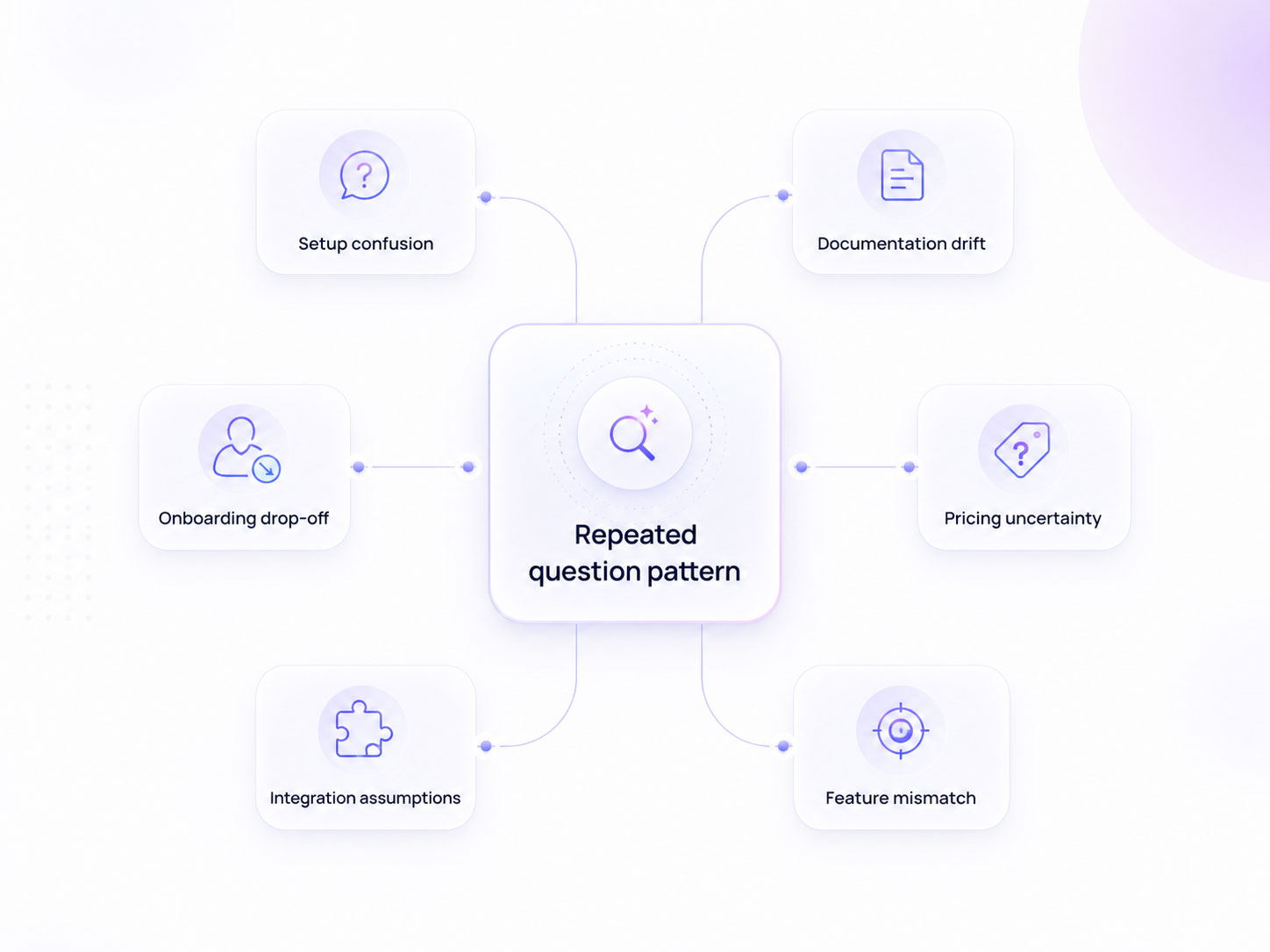
Similar questions can appear across docs, onboarding, pricing, setup and support. Inspect the original evidence to judge whether they share a misunderstanding before choosing a change.
Process
How Sol Helps turns real questions into clarity
Approved content grounds the assistant, real questions are preserved, and repeated questions provide a signal for investigation. Your team reviews the source evidence before deciding what to change.
Content becomes the source of truth
Start with docs, FAQs, support articles, URLs, or uploaded files so answers stay grounded in approved product knowledge.
Users ask questions where they get stuck
The assistant helps in the moment while preserving what users were actually trying to understand.
Questions are preserved as evidence
Sol Helps keeps the original wording so your team can inspect confusion before it gets rewritten into summaries.
Broad themes support investigation
Rule-based themes help your team inspect repetition and decide what may need clearer explanation.
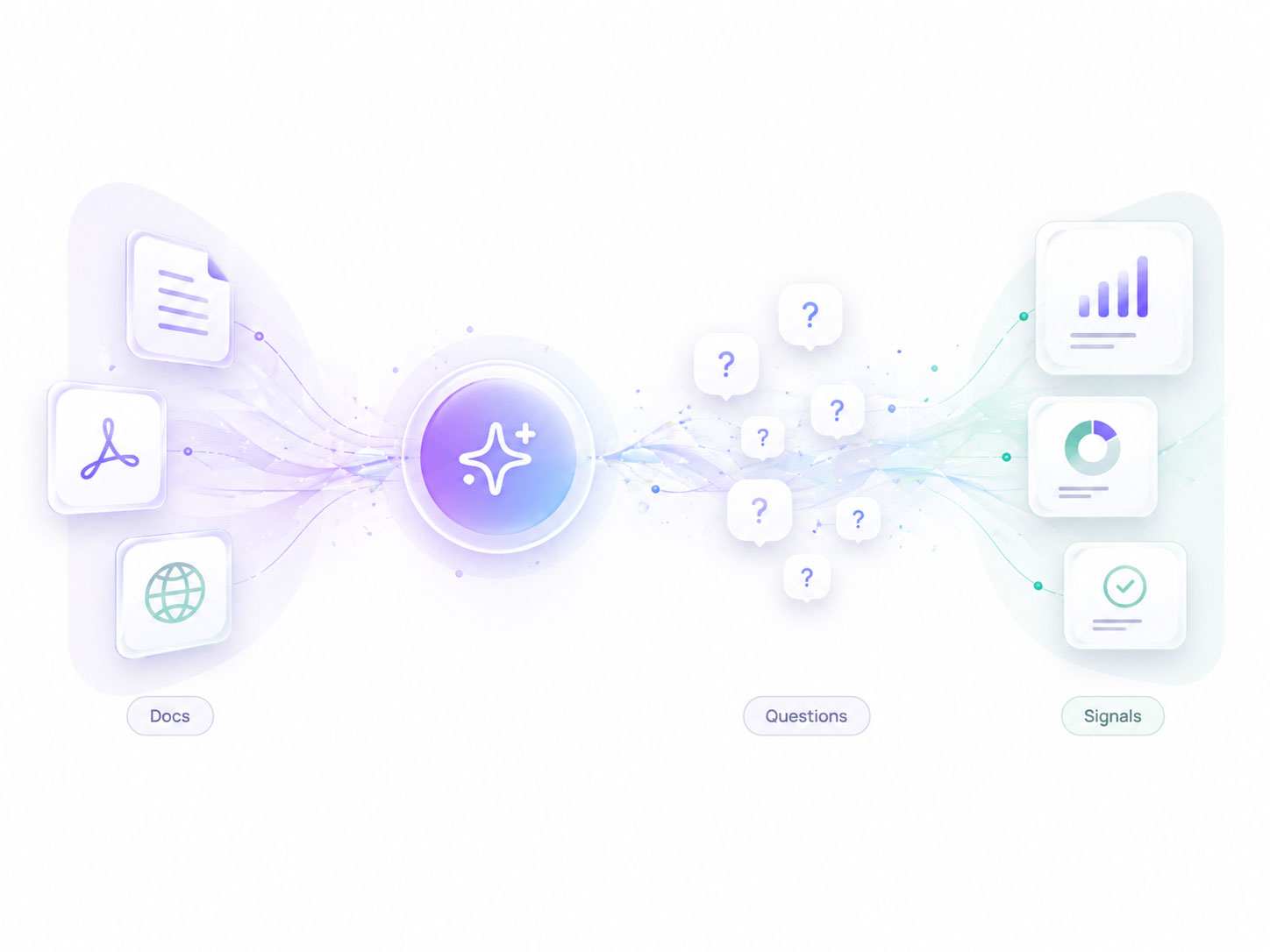
The goal is not another dashboard. It is a clearer path from approved content, to real customer wording, to evidence your team can use to improve onboarding, docs, support, and product clarity.
Content ingestion
Start with one source. Expand when you are ready.
Sol Helps can crawl URLs or ingest files so you can begin with one clear source of truth, then widen coverage once the signal proves useful.
Single URL crawl
Paste one page and keep the trial narrow while you prove value.
Sitemap crawl
Expand into a docs hub when you want broader coverage and cleaner discovery.
Upload your files
Use files directly when you want tight control over what enters the knowledge base.
Supported file types
Start with the docs you already have. No special formatting required.
Trust & guardrails
Low-risk to trial, grounded by design
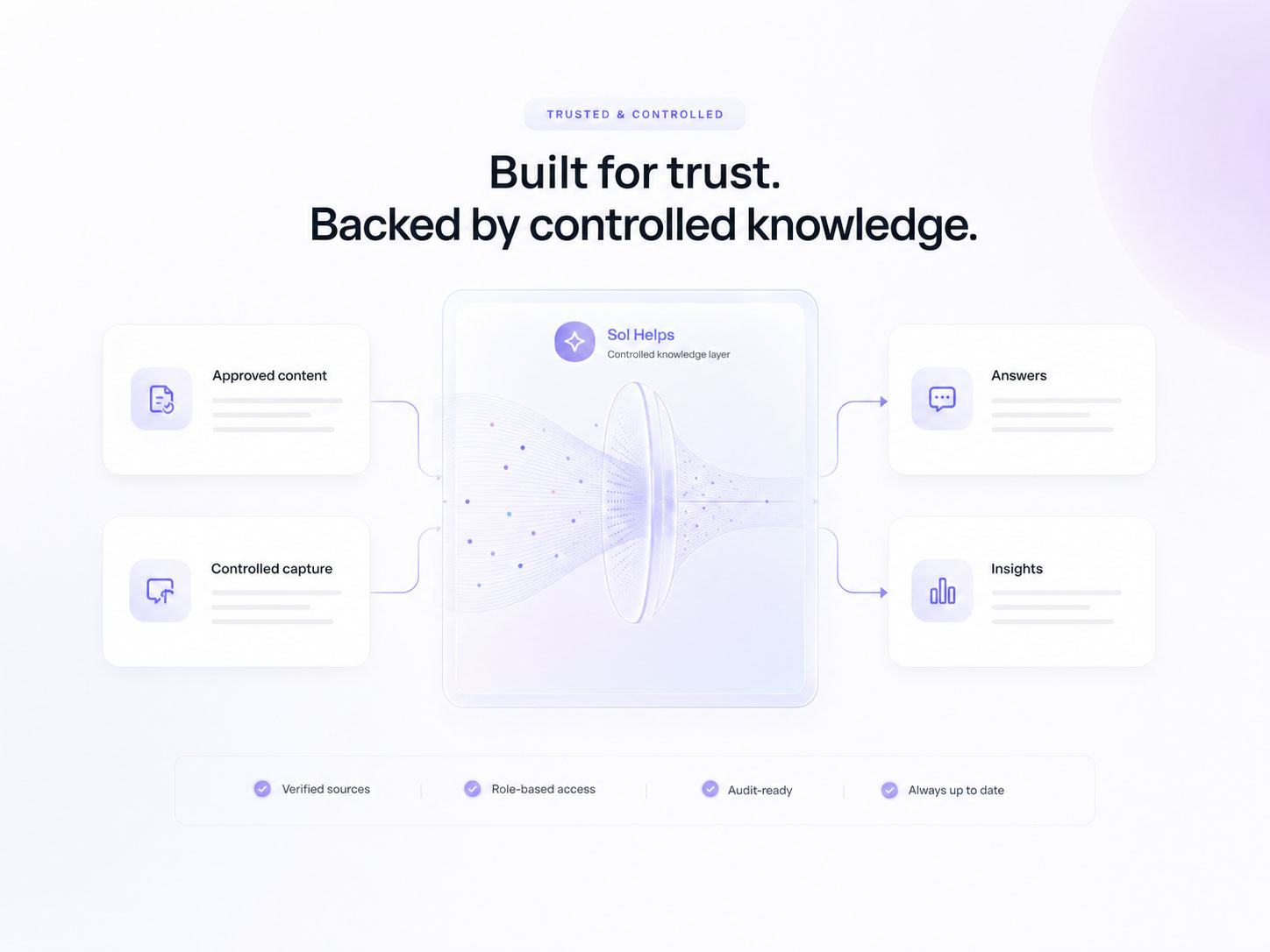
Sol Helps is designed to stay low-friction and controlled: your approved content is the source of truth, customer questions are captured for insight, and setup does not require replacing your existing support stack.
Guardrails keep it informational
Grounded in your approved content by default, with conservative behaviour designed for clarity rather than improvisation.
No public model training
Customer conversations are never used to train public models. History and retention stay plan-based.
Low-coupling by default
Useful without replacing your support stack or committing to deeper integrations first.
You control what content is used
Start with one approved source, expand later, and keep the knowledge boundary clear.
Trying to work out who should own this internally? Who Sol Helps is for.
See what your users are actually stuck on
Start with your existing documentation and turn real customer questions into evidence your team can use to improve onboarding, support, docs, and product clarity.
Need more context? Who Sol Helps is for·When user confusion starts costing you