
See the questions users never turn into tickets, metrics, or feedback.
Sol Helps provides Customer Confusion Insights — capturing the moment a user’s understanding breaks, before success, workarounds, or explanations make it disappear.
Not answers.
Not analytics.
The raw moment where interpretation goes wrong.
It does this through a lightweight in-product assistant — trained on your documentation — that helps users in the moment while preserving the questions teams rarely get to see.
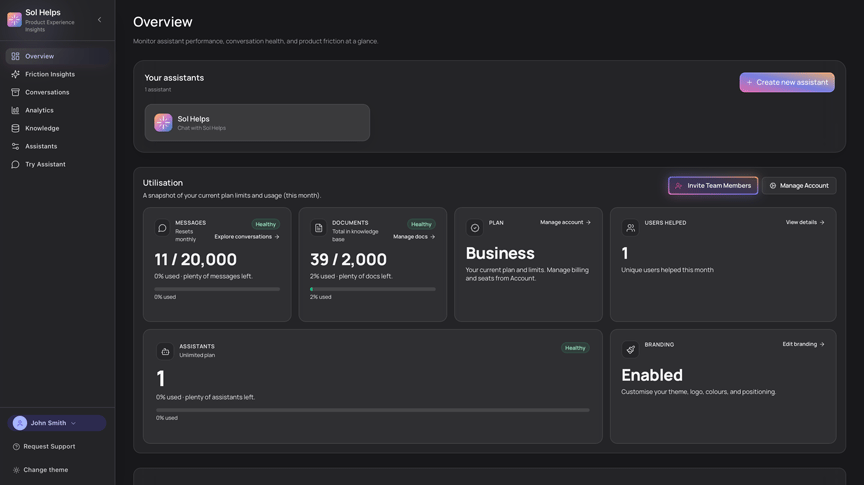
- No tagging.
- No heavy setup.
- No forcing confusion into rigid categories.
- Answer real user questions from your existing docs — while preserving the questions themselves, before they’re explained away or normalised.
- Watch recurring misunderstandings cluster into themes — including confusion that never escalated into tickets or feedback.
- See your first previously invisible interpretation gap within days — often in areas you assumed were already clear.
The problem most teams miss
Success can hide the real problem. When teams mistake adaptation for clarity, they lock in assumptions that only held because users worked around the product.
As products scale, those early misunderstandings don’t disappear — they get baked into onboarding, documentation, and decisions that are expensive to unwind later.
- Success caused by workarounds (not understanding)
- Confusion that disappears before it becomes feedback
- Repeated hesitation in the same places
- Interpretation gaps hidden behind completion
Most teams can see failure.
What’s harder to see is success for the wrong reasons.
Users complete setup and adopt features — not because the product was clear, but because they adapted, repeated steps, or tolerated friction.
From the outside, this looks like validation: “The onboarding works.” “The docs are good enough.”
But the original confusion is already gone.
Sol Helps captures user confusion before success erases it — before adaptation gets mistaken for clarity.
How Customer Confusion Insights are captured
The goal isn’t “ChatGPT in your product.” It’s preserving user confusion long enough for patterns to emerge — before conclusions harden.
Typical setup takes ~10 minutes with existing docs. First meaningful patterns often appear within days.
Start with 10–20 high-signal pages: setup, onboarding, permissions, pricing, trust.
The goal isn’t completeness — it’s surfacing the first misunderstandings you didn’t know existed, then expanding coverage once you understand what users actually ask.
- You already have docs, onboarding pages, or a help centre
- Users ask recurring questions about setup, permissions, edge cases, pricing, or trust
- You want understanding signals — not just transcripts or metrics
- A helpdesk (routing, SLAs, inbox workflows)
- A full analytics platform (event schemas, funnels, experimentation)
- Product instrumentation for “what happened”
Sol Helps focuses on why users interpret things the way they do.
Where Sol Helps fits in your stack
Sol Helps is not a helpdesk and not a full analytics suite. It’s the Customer Confusion Insights layer — capturing how users initially interpret your product, using the language they use when they ask for help.
Sol Helps is additive by design. It does not replace your support stack or analytics.
Those tools operate after understanding has already shifted.
Sol Helps fills the gap before that happens.
The value is not efficiency or automation. It’s access to user understanding no other system reliably preserves.
- Onboarding and setup misunderstandings that resolve before they become tickets
- Edge cases, prerequisites, and integration assumptions users work around quietly
- Trust and pricing interpretation gaps hidden behind successful conversions
- Documentation quality feedback without running surveys or retrospectives
See what users struggled to understand — before it becomes repeated explanations, workarounds, or “we should fix this later.”
Start small, learn fast, and build a shared view of the gaps your team is currently guessing about.
Want deeper detail first? How it works · Trust & security